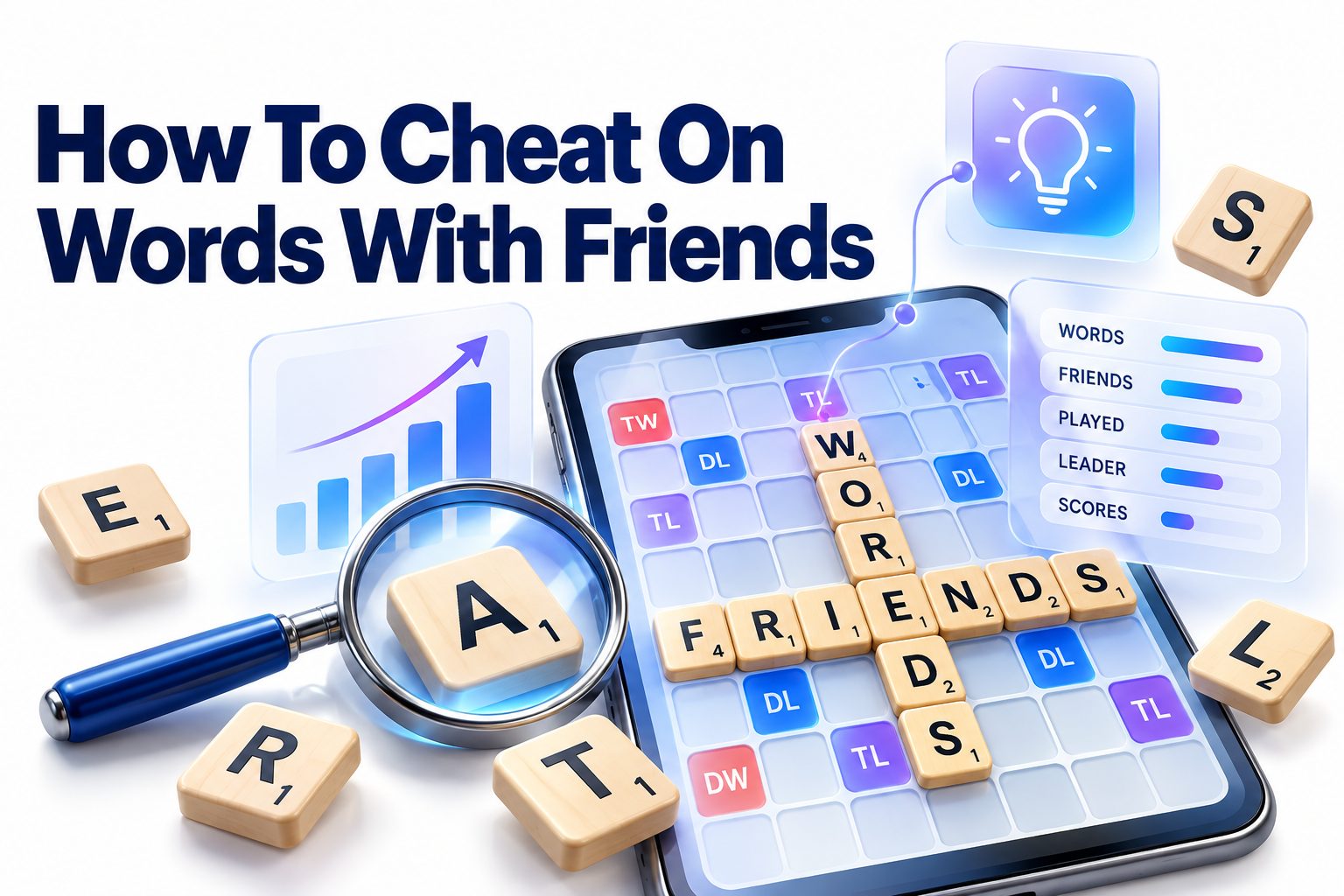
Searching for how to cheat on Words With Friends usually means one of two things: you want help finding a playable word from a difficult rack, or you suspect an opponent is using outside assistance. In practical terms, the easiest method is to enter your letters into a word finder, add any known board letters, and filter the results by length or position. That can reveal legal words you might not spot on your own.
There is an important distinction, though. Using a solver in a casual match where everyone accepts outside help is very different from secretly using one in a competitive game. Words With Friends is most enjoyable when players agree on the rules beforehand. Solvers can also be used after a turn as learning tools rather than during play.
This article explains how word-finding tools work, how to use board patterns and blank tiles effectively, and why some suggested words are rejected. You will also learn legitimate strategies for improving your score, recognizing suspicious play, and deciding when outside help crosses the line.
What Cheating Means in Words With Friends
Cheating in Words With Friends generally refers to using information or assistance that the other player does not know about or has not agreed to. Common examples include entering rack letters into a solver, checking possible words before submitting a move, or using another account to inspect the board.
The context matters. Some friends openly allow dictionaries and word finders because they prefer a relaxed game. Others expect every move to come from the player’s own vocabulary and board analysis. Agreeing on acceptable assistance before a match prevents arguments later.
Solvers, Dictionaries, and Hints
A dictionary confirms whether a word exists, while a solver generates possible plays from a collection of letters. The second option offers a much larger advantage because it can identify obscure words and high-scoring combinations without requiring the player to find them independently.
Built-in hints are different because they are part of the game and available under the platform’s rules. A hint might show that a better move exists without revealing the complete answer. Third-party tools can provide exact words, scores, and sometimes precise board placements.
Common Ways Players Get Outside Help
Most outside assistance does not involve hacking or changing the game. Players usually rely on websites, mobile apps, dictionaries, anagram tools, or another person. These methods range from mild vocabulary checking to having software choose nearly every move.
The strongest tools accept both rack letters and board information. They can search for words that begin or end with specific letters, fit around existing tiles, or reach premium squares. Screenshot-based tools may even attempt to reconstruct the entire board automatically.
Common forms of outside assistance include:
- Entering all seven rack letters into a word unscrambler
- Adding a board letter to find crossing or extending words
- Searching a dictionary before attempting a questionable word
- Using a screenshot analyzer to calculate board placements
- Asking another person to suggest a move
- Checking a complete two-letter or three-letter word list during play
- Using a second device so the match remains open on the first
Using a Words With Friends Cheat Tool
A typical word finder asks for the letters on your rack. You enter them without spaces, mark blanks with a symbol such as a question mark, and run the search. The tool then returns words that can be formed from those tiles, often sorted by length or estimated value.
Those results are only candidates. A legal move must also fit the current board, connect to an existing tile, and form valid words in every direction. A high-value result is useless when there is nowhere to place it or when a cross word is invalid.
Basic Letter-Solver Method
The following process works with most anagram and Words
1. Copy the seven letters from your rack accurately.
2. Represent each blank tile using the symbol specified by the tool.
3. Enter any required board letter in the appropriate pattern field.
4. Search for possible words.
5. Filter the results by word length, starting letter, or ending letter.
6. Compare likely candidates with the open spaces on the board.
7. Check every perpendicular word that the placement would create.
8. Confirm the word is accepted by the current game dictionary.
Consider a rack containing A, E, L, R, S, T, and a blank. A general solver may return dozens of possibilities. Adding a board pattern such as “_ A _ _” reduces the list to words that can fit a specific lane rather than showing every theoretical anagram.
Working With Fixed Board Patterns
Pattern searches are more useful than unrestricted anagram searches because the board limits where tiles can go. A pattern such as “S _ A _ E” tells the solver that the first, third, and fifth letters are already known while the empty positions must come from your rack.
Different tools use different pattern symbols. An underscore, period, or question mark might represent an empty square, while a question mark may represent a blank tile elsewhere. Read the tool’s instructions carefully so you do not accidentally search for the wrong arrangement.
Using Blank Tiles Correctly
A blank can represent any letter, making it one of the most flexible tiles in the game. In a solver, it is usually entered as “?” or “*.” A result may display the substituted letter in lowercase or with special highlighting.
Blank tiles normally contribute zero points, even when placed on a double-letter or triple-letter square. Their value comes from completing long words, reaching word multipliers, or enabling a seven-tile play. Treating the blank as a naturally scored letter can lead to inaccurate score estimates.
Solver Input Compared With Expected Results
Input type | Example | Best use | Main limitation
Rack letters only | AELRSTU | Finding general anagrams | Does not account for the board
Rack plus one board letter | AELRSTU + N | Creating a word through N | May still produce unplaceable words
Fixed pattern | _ A _ E R | Filling a specific opening | Requires accurate square counting
Blank tile search | AELRST? | Finding flexible combinations | The blank scores zero points
Full-board analyzer | Board screenshot | Suggesting exact placements | May misread tiles or use the wrong dictionary
Getting Better Results From a Word Finder
Accurate input matters more than the number of results. One wrong letter can remove the best play or produce words that are impossible to build. Check whether a visible tile is an I, L, or blank, and count the empty squares before setting a length filter.
Sorting by score can help, but the first result is not always the strongest move. Estimated scores may exclude cross words, premium-square effects, or the value of keeping useful letters. Compare several placements instead of automatically choosing the longest word.
Include Existing Board Letters
A rack-only search overlooks words that use letters already in play. If an open lane contains an R, for example, include that R as a fixed letter or allowable anchor. This often reveals longer and more valuable words than your rack can form by itself.
Also examine opportunities to add a prefix or suffix to an existing word. A single S may pluralize one word while creating another perpendicular word. Such parallel plays can score well because several tiles contribute to more than one word at the same time.
Search by Position Rather Than Length
A seven-letter result may look impressive but be impossible to place. Begin with the actual opening: note its length, any fixed letters, and which premium squares are reachable. Then search for words that match those conditions.
Position-based searching reduces noise and makes manual verification easier. It is especially valuable on crowded boards where most lanes contain only two or three open squares. Learning short legal words often produces more usable options than chasing long anagrams.
Verify the Dictionary Setting
Words With Friends does not necessarily accept every word found in a general dictionary or another word game’s list. Proper nouns, abbreviations, hyphenated terms, and many specialist expressions may be excluded. Accepted vocabulary can also differ between game modes, regions, or app versions.
Choose a solver specifically configured for Words With Friends when possible. Even then, confirm uncertain entries in the game before relying on them. A failed attempt may reveal your intended location to an attentive opponent, and repeated invalid guesses can waste time.
Quick tips for more reliable searches:
- Recheck every rack letter before running the search.
- Use fixed patterns when the opening contains board tiles.
- Set maximum length according to the available squares.
- Mark blank tiles using the tool’s required character.
- Review two-letter words that can create parallel plays.
- Calculate cross-word points before choosing between placements.
- Confirm that the solver uses the appropriate word list.
- Compare the value of the move with the quality of the remaining rack.
Why Suggested Words May Not Work
A solver can produce a valid word without proving that it is playable on your board. The intended lane might be too short, a perpendicular combination may be invalid, or another tile may block the placement. Solvers that lack full board data cannot detect all of these constraints.
A word may also be legal in Scrabble but rejected in Words With Friends. The games have different dictionaries and tile values. Regional settings, dictionary revisions, and tool databases can introduce further discrepancies, particularly with slang, inflected forms, or recently added terms.
Invalid Cross Words
Every new horizontal word must also produce legal vertical words where its tiles touch existing letters, and the reverse applies to vertical plays. Players often focus on the main word and overlook a two-letter cross created in the middle.
Check each newly placed tile individually. Trace along the perpendicular direction and read the complete sequence of connected letters. If even one resulting sequence is absent from the game’s dictionary, the entire move will fail.
Incorrect Blank Handling
Some tools interpret an asterisk as a wildcard, while others expect a question mark. Entering the wrong symbol can produce no results or treat the character as ordinary punctuation. Consult the solver’s input example before assuming its notation.
A screenshot analyzer may also mistake a blank for the letter it represents. That error changes both rack reconstruction and score calculations. Remember that a played blank remains worth zero points throughout the game, even though it displays a chosen letter.
Outdated Word Lists
Third-party databases are not always updated when the game’s dictionary changes. A solver might suggest a word removed from current play or omit one recently added. The game itself remains the final authority for whether a move is accepted.
This limitation is one reason to use outside tools cautiously. When a suggested word looks unfamiliar, verify it rather than assuming the software is correct. For broader vocabulary-building ideas, see [Internal Link: Word Game Vocabulary Tips].
Legitimate Strategies That Reduce the Need for Cheats
Strong Words With Friends play depends on more than knowing long words. Board position, premium squares, rack balance, and short connecting words often matter more. Improving those skills makes outside assistance less tempting and produces results you can repeat in any match.
Start by memorizing useful two-letter words and common hooks. A hook is a letter added to the beginning or end of an existing word to form a new one. These compact plays let you use tight spaces, build parallel words, and reach valuable multiplier squares.
Manage Your Rack
A balanced rack contains a workable mix of vowels and consonants. Keeping too many duplicates, especially low-flexibility consonants, can make the next turn difficult. A modest current score may be worthwhile when it leaves versatile letters such as E, R, S, T, and a blank.
Exchanging tiles can be better than forcing a weak play, particularly when the board offers no productive openings. The exchange sacrifices a scoring turn, but it may prevent several poor turns afterward. Consider the remaining tile pool and game situation before making that trade.
Use Premium Squares Carefully
Double-word and triple-word spaces can determine a match, but reaching one is not automatically beneficial. A low-scoring placement may open the same lane for an opponent who can use the multiplier far more effectively.
Look one move ahead. Ask what letters and spaces your play exposes. Defensive positioning is particularly important near triple-word squares and open edges. Sometimes the best move scores slightly less while leaving no easy counterplay.
Learn High-Value Short Words
Short words containing J, Q, X, or Z can convert an awkward rack into a strong turn. They also fit places where a long word cannot. Study them in small groups and verify that they belong to the current Words With Friends dictionary.
Practical play is a better memory aid than reading a huge alphabetical list. After each game, record two or three unfamiliar words used by either player. Review their spelling and possible hooks before the next match. A focused routine gradually builds a usable vocabulary.
A practical skill-building checklist:
□ Memorize a small set of legal two-letter words.
□ Review common three-letter extensions and hooks.
□ Track which premium squares remain available.
□ Keep a balanced mix of vowels and consonants.
□ Save flexible tiles when the immediate score difference is small.
□ Check all parallel-word opportunities before committing a move.
□ Study missed plays after the match rather than during it.
□ Confirm unfamiliar words in the correct game dictionary.
Ethical Ways to Use Solvers
A word solver can be valuable without secretly controlling live moves. The cleanest approach is to use it after taking your turn or after the match ends. Compare your chosen play with other possibilities and identify patterns you failed to notice.
You can also create practice racks away from active games. Set a timer, list every word you can find, and then use the tool to review the missed options. This turns the solver into a vocabulary coach rather than an invisible opponent.
Agree on Rules Before Casual Games
Some groups treat word finders like open-book resources and allow everyone to use them. Others permit dictionaries but prohibit anagram generators. Neither arrangement is inherently wrong in a private match, provided all players follow the same expectations.
A short agreement is enough: decide whether hints, dictionaries, solvers, and outside advice are allowed. You might also create separate “assisted” and “no-help” matches. Clear rules preserve friendly competition and remove uncertainty about what counts as cheating.
Use Post-Game Review
Take a screenshot before a difficult turn, make your unaided move, and analyze the position afterward. Note the highest-scoring alternative, the board pattern that made it possible, and whether it would have damaged your rack or exposed a multiplier.
Do not judge every decision by raw points. A solver might favor an aggressive play without accounting for your opponent’s habits or likely tiles. The most useful review asks why a move worked and whether the same principle applies to future positions.
Create Personal Practice Challenges
Turn missed words into exercises. Rearrange the same rack, change one board letter, or limit yourself to a three-square opening. Repeated practice teaches pattern recognition more effectively than copying isolated answers.
For a structured approach, combine rack drills with [Internal Link: Anagram Solving Techniques]. Prefixes, suffixes, vowel patterns, and common letter pairs make unfamiliar combinations easier to break down without assistance.
Solver Use Compared With Skill-Based Play
Approach | Immediate advantage | Long-term effect | Fairness in an unassisted match
Live solver | Produces possible words quickly | Can create dependence | Usually unfair
Dictionary check | Confirms a word | Builds vocabulary gradually | Depends on agreed rules
Built-in hint | Indicates a better option | Offers limited learning | Allowed by the game
Post-game analysis | Reveals missed moves | Improves pattern recognition | Fair
Rack practice | Develops independent recall | Builds lasting skill | Fair
Open assisted match | Gives every player access to tools | Creates a different style of competition | Fair when disclosed
Signs an Opponent May Be Using a Solver
No single play proves that someone is cheating. Skilled players often know obscure short words and recognize unusual anagrams quickly. A dramatic improvement may also reflect practice, a favorable rack, or more careful play.
Suspicion becomes more reasonable when several patterns appear together: consistently obscure words, near-perfect placement, abrupt skill changes, and unusually uniform response times. Even then, the evidence is circumstantial unless the player admits using assistance.
Patterns Worth Noticing
A solver-assisted player may repeatedly produce rare words while missing basic strategic choices, such as blocking an exposed multiplier. That mismatch can suggest generated vocabulary without strong board knowledge. It is still possible for someone to have an unusual vocabulary and limited tactical experience.
Response timing can also be misleading. A player may pause because of work, notifications, or connectivity. Focus on a pattern across many turns and games rather than interpreting one delayed or unexpectedly strong move as proof.
Handling Suspected Cheating
In a casual game, ask neutrally whether dictionaries or word finders are being used. Explain what rules you expected instead of beginning with an accusation. Many disputes come from different assumptions rather than deliberate dishonesty.
When trust is gone, ending or declining future matches is often simpler than trying to prove tool use. For competitive events, follow the organizer’s reporting process and provide relevant match details. Avoid public accusations based only on unfamiliar words.
Do and Don’t List
Do:
- Agree on permitted tools before starting a recurring match.
- Consider several games before drawing conclusions.
- Ask directly and calmly about outside assistance.
- Use official reporting channels in organized competition.
- Recognize that expert players often know obscure legal words.
Don’t:
- Treat one high-scoring play as proof of cheating.
- Assume a slow reply means the player opened a solver.
- Publicly accuse someone without reliable evidence.
- Harass an opponent or attempt to access their account.
- Install questionable “detection” software that requests account credentials.
Risks of Cheat Apps and Screenshot Analyzers
Not every tool marketed as a Words With Friends cheat is safe. Some apps request unnecessary permissions, display deceptive download buttons, collect screenshots, or encourage users to enter login details. A word finder does not need your game account password to generate anagrams.
Browser-based tools can also be overloaded with intrusive advertising and fake alerts. Avoid installing unknown extensions or configuration profiles. A basic solver should function with manually entered letters and board patterns; anything demanding broad device access deserves scrutiny.
Account and Privacy Concerns
Uploading a screenshot may expose usernames, profile images, chat messages, or notification previews. Crop the image before using any analyzer, and remove details unrelated to the board. Better still, enter the relevant letters manually when the tool supports it.
Never share authentication codes, recovery information, or social-media credentials with a solver. If an app claims that account access is necessary to read your rack automatically, the convenience is not worth the security risk. Use only official sign-in flows for the game itself.
Unreliable Scores and Placements
Screenshot tools can misidentify letters, premium squares, and board boundaries. Visual themes, low-resolution images, blank tiles, or overlapping interface elements make recognition less reliable. Always verify the reconstructed board before trusting a suggested play.
Score calculations may also differ from the live game because of dictionary settings or bonus rules. Treat the output as a recommendation, not a guaranteed result. Manual checking remains necessary even when the interface appears polished.
Safety checklist for third-party tools:
□ The tool works without your Words With Friends password.
□ It does not request contacts, messages, or unrelated device permissions.
□ Its privacy policy explains how uploaded screenshots are handled.
□ The website uses a secure connection.
□ Download buttons are clearly labeled and not disguised advertisements.
□ The selected dictionary matches Words With Friends.
□ You can verify suggested words independently.
□ Screenshots are cropped to remove personal information.
Better Alternatives to Secret Cheating
The most useful alternative is an agreed assisted match. Both players may use the same type of dictionary or solver, turning the game into a contest of board placement and score optimization. Because the assistance is disclosed, nobody is misled about the nature of the competition.
Another option is to ask for a rematch with practice rules. Permit one hint per game, allow dictionary checks after a failed attempt, or review strong alternatives together after each turn. Limited assistance can keep a casual match moving without replacing independent thought.
Built-In Help and Practice Modes
Use official hints and other in-game assistance according to the rules displayed in the app. These features are designed for the platform and do not require sharing account information with an unknown service. Availability may vary by version, mode, or region.
Solo play and low-pressure matches are also good places to test new vocabulary. They let you experiment with board positioning without misleading a human opponent about whether you are playing unaided.
Friendly House Rules
House rules can match the experience your group wants. One group might allow dictionaries but not solvers; another might permit a single solver lookup when a player is stuck. Put the rule in the match chat so everyone remembers the agreement.
The key is equal access. A resource known to only one participant creates an unfair advantage, while a shared rule changes the format for everyone. Transparency matters more than choosing one supposedly universal standard.
Conclusion
The practical answer to how to cheat on Words With Friends is straightforward: enter your rack into a compatible word finder, include fixed board letters or patterns, mark blanks correctly, and verify that every resulting cross word is legal. A solver can reveal possibilities quickly, but its suggestions may still fail because of board constraints, outdated dictionaries, or incorrect screenshot recognition.
Using such help secretly in a match expected to be unaided gives one player an advantage the other did not accept. A better approach is to agree on assisted play, use official hints, or save solver analysis until after the game. Those options preserve trust while still helping you learn.
For lasting improvement, concentrate on short legal words, hooks, rack balance, parallel plays, and careful use of premium squares. Solvers are most valuable when they explain missed opportunities rather than make every decision. The final takeaway is simple: verify the tool’s output, protect your account information, and be open with opponents about the assistance you use.
Frequently Asked Questions
Can Words With Friends detect a word solver?
Words With Friends may identify unusual account or gameplay activity, but ordinary solver use is difficult to prove from word choices alone. Policies and detection systems can change, so players should follow current game rules and avoid undisclosed assistance.
Is using a dictionary considered cheating?
It depends on the agreed rules. A dictionary is fair when both players permit word checks, but it can be cheating in a match expected to be unaided. Set the rule before play to prevent misunderstandings.
Why does a solver suggest rejected words?
The solver may use a different or outdated dictionary, or the placement may create an invalid cross word. Confirm the selected word list, check every connected letter sequence, and make sure blank tiles were entered correctly.
What symbol represents a blank tile?
Most solvers use a question mark or an asterisk for a blank tile, but the required symbol varies. Check the tool’s instructions, because entering the wrong character may produce inaccurate results or no usable words.
How can I improve without using cheats?
Study legal two-letter words, practice common hooks, protect premium squares, and maintain a balanced rack. Reviewing missed moves with a solver after each game can build vocabulary and pattern recognition without affecting the fairness of live play.